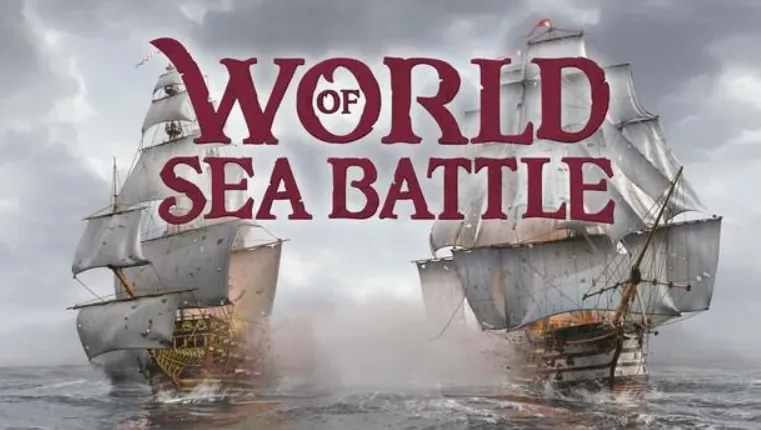
To start in World of Sea Battle, choose your server, finish the tutorial quests that build your first ship, the Horizont, pick a shipyard faction, then set up a personal island with iron close by. Save your Battle Marks and board only ships you can outcrew. Thera improved the tutorial on October 23, 2026, so this World of Sea Battle guide covers what older ones skip.
World of Sea Battle guide: first steps at a glance
Each step below has its reason, the mistake players report, and its source. Sources marked fan-made are undated or older than update B21.
| Step | Do this | Why | Common mistake | Source |
|---|---|---|---|---|
| 1. Server | Pick RU1, EU1, NA1 or ASIA1 | Account transfers ended on July 15, 2026 | Starting on a server you cannot leave | Transfer notice |
| 2. Tutorial | Finish the quests to get the Horizont | Quests give resources and experience | Skipping what the tutorial does not explain | Hotfix #1 |
| 3. Faction | Choose a line by what you will do | Each faction has different stats | Spreading quests across factions | B21, BlueLightning |
| 4. Island | Build mines and a workshop | Passive resources and a safe base | Placing mines out of range | Thera's site |
| 5. Battle Marks | Keep them | Unique ships and upgrades use them | Selling them early | B18.1 |
| 6. Boarding | Cut crew first, outnumber the target | The larger crew wins | Boarding with fewer sailors | BlueLightning |
Step 1: Pick a server before anything else
Choose your server first because you cannot easily change it later. The launch post lists RU1 (CIS, the original), EU1 (Europe) and NA1 (United States), and an Asian server, ASIA1, opened on May 9-10, 2026. Account transfer between servers was available once per account and ended on July 15, 2026; Thera said it might return as a seasonal event.
The mistake to avoid is starting on a server where your friends or your language are not. A transfer also left your personal island and your captured ships behind, according to the May 8, 2026 notice.
Thera's official Steam trailer is below for a look at the game before you choose; install World of Sea Battle free on PC, then pick your serverinstall World of Sea Battle free on PC, then pick your server.
Step 2: Finish the tutorial and the early quests
The tutorial builds your first ship, the Horizont, and Thera changed it in Hotfix #1 on October 23, 2026. The Horizont now gets enough sailors to fire its guns, tasks that required dropping the Peace Flag were removed up to level 10, and interface highlighting was improved. Take that as a reason to keep the Peace Flag up early.
BlueLightning, a guild player whose tips are on a wiki, says to do as many quests as you can for resources and experience, and to keep rum on hand because each quest costs 1 rum to exchange at ports. The page is undated apart from a wiki revision on August 10, 2026.
The common complaint is the tutorial itself. An Angry Mouse, at 439 hours on record, called it serviceable but missing some finer mechanics in a Steam review on October 27, 2025. LifeofKino's "Tips you NEED to know starting out!" (February 20, 2026, before B21) is below.
Step 3: Choose a faction
The word faction covers two things in the game, and a new captain meets both. B21 split the shipyard into three ship factions: Antilia is balanced, Español has durability, hold and crew, and Kai & Severia has speed and protection (B21 notes). Separately, war factions fight for regions, and Thera's site describes faction guilds, trade guilds and pirate guilds.
Pick the shipyard line for what you plan to do: trade favors the roomy Español hold, speed favors Kai & Severia. The ships-by-role page turns that into picks. Once you join a war faction, BlueLightning says to do your quests at that faction's ports so your faction points grow quickly.
Two details to check, because guides are older than the notes. WOSB Guide says building a ship at a port of its own faction gives a 25% discount, yet Thera's B19 notes adjusted a faction ship crafting discount from 25% to 20%; Thera does not name the faction, so the old figure may be outdated. Reputation also matters: the B20 notes set a base penalty of -3 for neutral players who sink nation and trader ships, growing by -1 per kill, capped at -20.
Step 4: Build your personal island
The personal island is your safe base: Thera's site says you can build ships, produce resources and have a haven at sea there. Start it early, but place it with care.
What to build, according to WOSB Guide (fan-made and undated): a Plate Workshop first, because it costs only gold, then a Pier, Mission Hall, Lighthouse and Warehouse. The island workshop gives a 20% resource discount when crafting, per the same guide. Thera adds that a Place of Reflection on the island boosts Elite status XP (Elite status post).
Mines must sit within range of the island to collect on their own, and the guides disagree on the exact distance, so the map guide covers range, placement and where to find iron. The common mistake is trying to move the island: WOSB Guide says you build a new one and tear down the old mines instead.
Step 5: Keep your Battle Marks
Battle Marks are worth keeping because Thera prices unique ships and some upgrades in them. Thera lists the Battle Mark prices of its unique ships in the B21 notes, and our ships-by-role page shows them. Upgrades in the Unusual category, except Strong Beams, need Battle Marks to install (B18.1). The Hunt mode increased its Battle Mark rewards in B21.
WOSB Guide calls selling Battle Marks the number one beginner mistake, without a source. Given the uses above, hold them until you know what you want to buy.
Step 6: Learn boarding
Boarding is won by the ship with the larger crew when the countdown stops, according to BlueLightning. The guide's order: bring the target under 50% health, use grapeshot to cut its crew, sail close and parallel, then trigger boarding. Allies cannot board each other (Hotfix 5).
Thera knows boarding is strong: in its May 27, 2026 Q&A it said boarding plays a very significant role in some battles and no major change is planned soon. The mistake is boarding with fewer sailors than the target. Master Commander's "A Basic Guide To Boarding" (February 26, 2026, before B21) is below.
How do you repair captured ships?
We found no step-by-step page from Thera on repairing captured ships, so here is what exists. BlueLightning says the Squadron Captain skills let you control 3 NPC followers and, with Donor and Repair Gear, repair them by 50% when you board them at about 50% health. WOSB Guide lists dismantling captured NPC ships as a way to get beams.
For your own ships, B21 sets integrity repair at 30 seconds plus 2 minutes 30 seconds per point restored, and the Elite status levels reduce repair cost and time. B21 also made the unload-all button take ammunition from a captured ship. The rest of the game is on our main World of Sea Battle page.
FAQ
How do you start in World of Sea Battle?
Pick a server, finish the tutorial quests that build your first ship, the Horizont, then choose a shipyard faction and start an iron mine. Thera's October 23, 2026 hotfix improved the tutorial, so older guides may skip steps.
What are Battle Marks in World of Sea Battle?
A currency that Thera uses to price unique ships and to unlock upgrades in the Unusual category. The Hunt mode rewards them, and an event merchant sold them in October 2026. Save them until you know which ship or upgrade you want.
How do you board a ship in World of Sea Battle?
Sail close and parallel to the target, trigger the boarding prompt, and bring more crew than the enemy. BlueLightning's guide says to cut the target below 50% health and use grapeshot to reduce its crew first. The larger crew wins when the countdown ends.
How do you repair captured ships in World of Sea Battle?
We found no step-by-step page from Thera. BlueLightning's guide says the Squadron Captain skills Donor and Repair Gear repair followers by 50% when you board them at about 50% health, and WOSB Guide lists dismantling captured NPC ships for beams.
Sources
- Steam announcement, "World of Sea Battle is OUT on Steam!", October 21, 2025, consulted November 10, 2026.
- Steam announcement, "New server opening: May 9-10", May 2026, consulted November 10, 2026.
- Steam announcement, "Account Transfer", July 3, 2026, consulted November 10, 2026.
- Steam announcement, "Account transfers", May 8, 2026, consulted November 10, 2026.
- Steam announcement, "Hotfix #1", October 23, 2026, consulted November 10, 2026.
- Steam announcement, "Update B21 is out now!", October 15, 2026, consulted November 10, 2026.
- Steam announcement, "B20 Update: Naval Supremacy", July 10, 2026, consulted November 10, 2026.
- Steam announcement, "Update B19: New Horizon", March 26, 2026, consulted November 10, 2026.
- Steam announcement, "Update B18.1", December 22, 2025, consulted November 10, 2026.
- Steam announcement, "Ship Elite Status", September 22, 2026, consulted November 10, 2026.
- Steam announcement, "Hotfix 5", August 27, 2026, consulted November 10, 2026.
- Steam announcement, "Q&A (Part 2)", May 27, 2026, consulted November 10, 2026.
- World of Sea Battle site (Thera Interactive), consulted November 10, 2026.
- Steam English-language reviews, consulted November 10, 2026.
- WorldOfSeaBattle tips, BlueLightning, Hispagatos wiki, consulted November 10, 2026.
- WOSB Guide, Beginner's Guide, consulted November 10, 2026.
- LifeofKino, "Tips you NEED to know starting out!", February 20, 2026, consulted November 10, 2026.
- Master Commander, "A Basic Guide To Boarding", February 26, 2026, consulted November 10, 2026.
Everything else lives in the World of Sea Battle hub · World of Sea Battle Best Ship by Role (B21, Nov 2026) · World of Sea Battle Steam and PC: Free, Requirements.